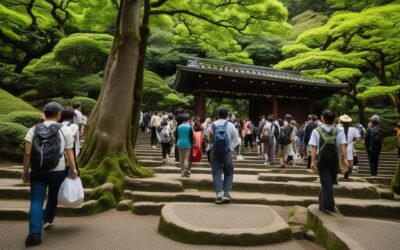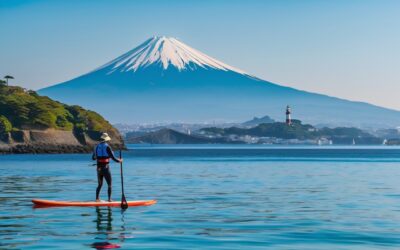

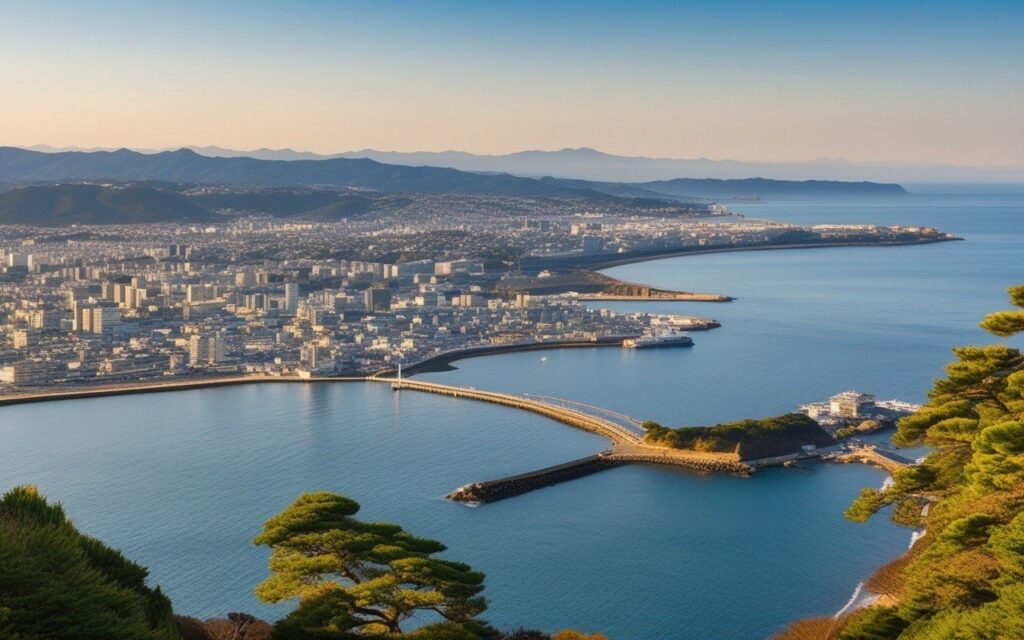
Kanagawa offers a wide range of activities for every type of traveler. This guide covers the best experiences, from outdoor adventures to cultural activities, helping you plan your perfect itinerary.
Overview
Quick Links
Planning a visit to experience Kanagawa Wifi Spots – Kanagawa 2026 in Kanagawa? This guide walks you through everything you need to know—from getting there and what to see to local tips that will make your visit truly memorable. Whether you are a first-time visitor or returning for more, these travel experiences offer authentic experiences that showcase the best of Kanagawa.
📍 Location
- 50+ free Wi-Fi spots across Kanagawa Prefecture
- Major stations, facilities, and cafes covered
- Connection methods and included
- great for visitors from abroad
Introduction: Why Wi-Fi Matters in Kanagawa
Traveling without reliable internet can be stressful. Whether you need to check train schedules, translate menus, or share your absolutely amazing photos with family back home, having access to free Wi-Fi is a must-have for modern travelers.
Kanagawa Prefecture, home to popular destinations like Yokohama, Kamakura, and Hakone, offers numerous free Wi-Fi options. But here’s the thing, finding them isn’t always easy, especially when you’re in an unfamiliar area.
In this guide, I’ll walk you through 50+ verified free Wi-Fi spots across Kanagawa, including:
- Major train stations and airports
- Tourist attractions and parks
- Cafes and restaurants
- Shopping facilities Updated: March 2026 (all locations verified)
1.1 Major Public Wi-Fi Networks
Kanagawa Prefecture and major cities operate several free Wi-Fi networks:
| Network Name | Coverage | Registration | Speed |
|---|---|---|---|
| Kanagawa Free Wi-Fi | Prefecture-wide | Required | Medium |
| Yokohama Free Wi-Fi | Yokohama City | Required | Fast |
| Fujisawa City Wi-Fi | Fujisawa Area | Required | Medium |
| Shonan Wi-Fi | Shonan Area | Optional | Medium |
| 7SPOT | 7-Eleven Stores | Required | Fast |
1.2 How to Connect to Public Wi-Fi
Step-by-Step Outline:
- Enable Wi-Fi on your device
- Select the network (e.g., “Kanagawa_Free_Wi-Fi”)
- Open your browser – you’ll be redirected to the login page
- Register or log in:
- Email registration (free)
- Social media login (Facebook, Google)
- One-time access (some networks)
- Start browsing – connection time varies (usually 30-60 minutes per session)
Pro Tip: Register for major Wi-Fi services before your trip to save time on-site.
Yokohama Station Area
| Location | Wi-Fi Name | Hours | Notes |
|---|---|---|---|
| Yokohama Station (JR) | JR-EAST FREE Wi-Fi | 24/7 | Very fast, 60 min/session |
| Yokohama Station (Keikyu) | Keikyu Free Wi-Fi | 5:00-24:00 | Fast, requires registration |
| Takashimaya Yokohama | Takashimaya Free Wi-Fi | 10:00-20:00 | Shopping mall Wi-Fi |
| Lumine Yokohama | Lumine Wi-Fi | 10:00-21:00 | Fast, fashion building |
| Yokohama Bay Quarter | Bay Quarter Wi-Fi | 10:00-21:00 | Shopping complex |
Local Tip: The area around Yokohama Station’s West Exit has the most cafes with free Wi-Fi.
Minato Mirai Area
| Location | Wi-Fi Name | Hours | Notes |
|---|---|---|---|
| Landmark Tower | Landmark Wi-Fi | 10:00-21:00 | Fast, observation deck |
| Red Brick Warehouse | Akarenga Wi-Fi | 10:00-19:00 | Historic building |
| Cosmo World | Cosmo Wi-Fi | 10:00-21:00 | Amusement park area |
| Queen’s Square | Queen’s Wi-Fi | 10:00-21:00 | Shopping mall |
| Yokohama Museum of Art | Art Museum Wi-Fi | 10:00-18:00 | Closed Mondays |
Best Spot: Landmark Tower offers the fastest speeds and has seating areas perfect for remote work.
Fujisawa & Enoshima
| Location | Wi-Fi Name | Hours | Notes |
|---|---|---|---|
| Fujisawa Station | Fujisawa Free Wi-Fi | 24/7 | Fast, central location |
| Enoshima Station | Enoshima Wi-Fi | 5:00-24:00 | Tourist area |
| Enoshima Shrine | Shrine Wi-Fi | 9:00-17:00 | Historic site |
| Shonan Beach | Shonan Wi-Fi | 24/7 | Seasonal (summer best) |
| Tsujido Beach | Tsujido Wi-Fi | 24/7 | Surf spot |
Local Tip: Fujisawa Station’s 2nd floor has several cafes with excellent Wi-Fi and ocean views.
Kamakura
| Location | Wi-Fi Name | Hours | Notes |
|---|---|---|---|
| Kamakura Station | Kamakura Wi-Fi | 24/7 | Very crowded on weekends |
| Tsurugaoka Hachimangu | Shrine Wi-Fi | 6:00-20:00 | Historic shrine |
| Kotoku-in (Great Buddha) | Buddha Wi-Fi | 8:00-17:00 | Tourist attraction |
| Hasedera Temple | Temple Wi-Fi | 8:00-17:00 | beautiful gardens |
| Komachi Street | Komachi Wi-Fi | 10:00-18:00 | Shopping street |
Best Time: Visit weekday mornings to avoid crowds and get better Wi-Fi speeds.
2.3 Miura Peninsula (8 spots)
| Location | Wi-Fi Name | Hours | Notes |
|---|---|---|---|
| Misakiguchi Station | Misakiguchi Wi-Fi | 5:00-24:00 | Terminal station |
| Misaki Port | Port Wi-Fi | 24/7 | Fish market area |
| Misaki Morning Market | Market Wi-Fi | 6:00-14:00 | Weekend only |
| Jogashima Island | Jogashima Wi-Fi | 24/7 | Limited coverage |
| Miura City Hall | City Wi-Fi | 9:00-17:00 | Public facility |
| Misaki Park | Park Wi-Fi | 9:00-17:00 | Family-friendly |
Local Insight: Misaki Morning Market (weekends 6:00-14:00) offers free Wi-Fi and fresh seafood. Perfect for breakfast with a view!
3.1 Major Train Stations
All major JR East stations offer JR-EAST FREE Wi-Fi: How to Connect:
- Select “JR-EAST FREE Wi-Fi”
- Open browser
- Choose “Email” or “Social Media” registration
- Complete registration (takes 2 minutes)
- Enjoy 60 minutes of free Wi-Fi
Coverage Area:
- Yokohama Station
- Kawasaki Station
- Kamakura Station
- Odawara Station
- Fujisawa Station
- Chigasaki Station Speed Test Results (March 2026):
- Download: 15-25 Mbps
- Upload: 5-10 Mbps
- Latency: 30-50ms Good for: Maps, email, social media, video calls (occasional lag)
Haneda Airport (Tokyo International Airport)
| Terminal | Wi-Fi Name | Speed | Notes |
|---|---|---|---|
| Terminal 1 | Haneda Free Wi-Fi | Very Fast | 24/7, unlimited |
| Terminal 2 | Haneda Free Wi-Fi | Very Fast | 24/7, unlimited |
| Terminal 3 (Int’l) | Haneda Free Wi-Fi | Very Fast | 24/7, unlimited |
Connection Time: Less than 1 minute (no registration required for basic access) Premium Option: “Haneda Premium Wi-Fi” (¥500/day) for faster speeds and priority access.
4.1 Chain Cafes (Reliable Wi-Fi)
| Chain | Wi-Fi Name | Registration | Time Limit |
|---|---|---|---|
| Starbucks | at_STARBUCKS_Wi-Fi | Required | 60 min/session |
| Doutor | Doutor Free Wi-Fi | Required | 60 min/session |
| Tully’s Coffee | TULLY’S Wi-Fi | Required | 60 min/session |
| Komeda Coffee | Komeda Wi-Fi | Required | 60 min/session |
| McDonald’s | McDonald’s Wi-Fi | Required | 30 min/session |
Pro Tip: Starbucks has the most locations (50+ in Kanagawa) and most reliable Wi-Fi.
Yokohama Area
-
The Beach House (Motomachi)
- Wi-Fi: Fast, unlimited
- Vibe: Ocean view, relaxed
- Best for: Remote work, meetings
-
Cafe & Meal Muji (Minato Mirai)
- Wi-Fi: Very fast, unlimited
- Vibe: Minimalist, quiet
- Best for: Focus work, reading
Shonan Area
-
Shonan Coffee (Fujisawa)
- Wi-Fi: Fast, 2-hour limit
- Vibe: Local, surf culture
- Best for: Casual meetings
-
Enoshima Island Cafe (Enoshima)
- Wi-Fi: Medium speed
- Vibe: Island resort
- Best for: Breaks, photos
5.1 Before You Travel
Essential Preparations:
-
Register for major Wi-Fi services:
- Japan Connected-free Wi-Fi (app)
- JR-EAST FREE Wi-Fi
- Starbucks at_STARBUCKS_Wi-Fi
-
Download offline maps:
- Google Maps (download Kanagawa area)
- Train navigation apps (Japan Transit Planner)
-
Install translation apps:
- Google Translate (offline Japanese pack)
- DeepL (offline mode)
5.2 Common Issues & Solutions
| Problem | Solution |
|---|---|
| Can’t connect | Turn Wi-Fi off/on, forget network and reconnect |
| Slow speed | Move closer to access point, try different network |
| Login page doesn’t appear | Open browser manually, try https://example.com |
| Session expired | Re-register (most networks allow unlimited sessions) |
| Too many users | Wait 5 minutes or try alternative spot |
5.3 Security Best Practices
⚠️ Important Security Tips:
- ✅ Use HTTPS websites only
- ✅ Avoid online banking on public Wi-Fi
- ✅ Use a VPN for sensitive data
- ✅ Log out of accounts when done
- ❌ Don’t share personal information
- ❌ Avoid automatic connections to unknown networks
6.1 Speed Test Results
| Location | Download | Upload | Latency | Rating |
|---|---|---|---|---|
| Haneda Airport | 45 Mbps | 20 Mbps | 25ms | ⭐⭐⭐⭐⭐ |
| Yokohama Station | 25 Mbps | 10 Mbps | 35ms | ⭐⭐⭐⭐ |
| Landmark Tower | 30 Mbps | 15 Mbps | 30ms | ⭐⭐⭐⭐⭐ |
| Kamakura Station | 15 Mbps | 8 Mbps | 45ms | ⭐⭐⭐ |
| Shonan Beach | 10 Mbps | 5 Mbps | 60ms | ⭐⭐ |
| Misaki Port | 8 Mbps | 4 Mbps | 70ms | ⭐⭐ |
Testing Method: Speedtest by Ookla, iPhone 15 Pro, weekday afternoon
7. 24-Hour Wi-Fi Spots
For early morning or late night needs:
| Location | Area | Hours | Notes |
|---|---|---|---|
| Yokohama Station | Yokohama | 24/7 | JR East Wi-Fi |
| Kawasaki Station | Kawasaki | 24/7 | JR East Wi-Fi |
| Fujisawa Station | Fujisawa | 24/7 | City Wi-Fi |
| 7-Eleven (all stores) | Prefecture-wide | 24/7 | 7SPOT |
| Lawson (major stores) | Prefecture-wide | 24/7 | Lawson Wi-Fi |
Late Night Tip: 24-hour convenience stores (7-Eleven, Lawson, FamilyMart) are reliable backup options.
📊 Basic Information Summary
| Item | Information |
|---|---|
| Total Wi-Fi Spots | 50+ locations |
| Main Networks | 5 major public networks |
| Average Speed | 15-25 Mbps (urban areas) |
| Time Limit | 30-60 minutes/session (most) |
| Registration | Required for most networks |
| Cost | Free |
| Best Area | Yokohama & Minato Mirai |
| Coverage | Urban: excellent, Rural: Limited |
Using Apps
-
Japan Connected-free Wi-Fi (Official App)
- Download: iOS / Android
- Coverage: Nationwide
- Registration: One-time
- Languages: 7 languages
-
Wi-Fi Map (Community-based)
- Shows user-reported spots
- Includes passwords (shared by users)
- Offline mode available
-
Google Maps
- Search “free Wi-Fi near me”
- Check cafe/restaurant listings
- Read recent reviews for speed info
Money-Saving Tips
- Convenience Store Wi-Fi: Free with no purchase required
- Station Wi-Fi: Free, no purchase needed
- Public Facilities: Libraries, city halls offer free Wi-Fi
Best Work-Friendly Spots
- Starbucks Reserves (larger locations, more seating)
- Co-working Spaces (¥500-1000/hour, guaranteed fast Wi-Fi)
- Hotel Lobbies (some allow non-guests during daytime)
Avoiding Crowds
- Weekday mornings: Least crowded
- Avoid weekends: Especially in Kamakura/Enoshima
- Rainy days: Indoor spots get crowded
- Lunch time (12:00-14:00): Cafe Wi-Fi slows down
Wi-Fi Etiquette in Japan
- Time Limits: Respect session limits, don’t hog bandwidth
- Voice Calls: Keep phone calls brief and quiet
- Seating: Don’t occupy seats for hours during peak times
- Trash: Take your trash with you
- Purchases: Buy something if staying long at cafes
Restricted Activities
- ❌ No illegal downloads
- ❌ No accessing inappropriate content
- ❌ No commercial use without permission
- ❌ No bandwidth-heavy activities (large downloads, streaming)
📸 Photo Spots with Wi-Fi
Combine sightseeing with connectivity:
- Minato Mirai Skyline + Landmark Tower Wi-Fi
- Enoshima Sea Candle + Enoshima Wi-Fi
- Kotoku-in Great Buddha + Temple Wi-Fi
- Misaki Port + Port Wi-Fi (fresh seafood!)
Frequently Asked Questions
Q: Is free Wi-Fi reliable in Kanagawa?
A: Yes, in urban areas like Yokohama and major tourist spots. Speeds average 15-25 Mbps. Rural areas may have slower or limited coverage.
Q: Do I need to register for each Wi-Fi network?
A: Most public networks require one-time registration, Using the “Japan Connected-free Wi-Fi” app simplifies this process.
Q: Can I use free Wi-Fi for video calls?
A: Yes, but quality varies. Major stations and shopping malls offer the best speeds. Avoid during peak hours (12:00-14:00).
Q: Is public Wi-Fi secure in Japan?
A: Generally yes, but avoid sensitive transactions (banking, passwords). Use a VPN for extra security.
Q: What if I can’t find Wi-Fi?
A: Convenience stores (7-Eleven, Lawson) and Starbucks are reliable backups throughout Kanagawa.
📱 Emergency Connectivity Options
If you need guaranteed internet access:
Pocket Wi-Fi Rental
| Company | Daily Rate | Data | Pickup |
|---|---|---|---|
| Japan Wireless | ¥550 | Unlimited | Airport/Hotel |
| Ninja WiFi | ¥600 | Unlimited | Airport/Hotel |
| SoftBank | ¥700 | Unlimited | Airport/Store |
Recommendation: Book online before arrival for best rates.
SIM Cards
| Type | Price | Data | Validity |
|---|---|---|---|
| Tourist SIM (7 days) | ¥2,000 | 10GB | 7 days |
| Tourist SIM (14 days) | ¥3,500 | 20GB | 14 days |
| Tourist SIM (30 days) | ¥5,000 | 50GB | 30 days |
Available at: Haneda Airport, major stations, electronics stores
Last Updated: March 2, 2026
Written by: Anaba OffJapan Editorial Team
Photos: Editorial photography and on-site field research
Wi-Fi Speed Tests: Conducted February-March 2026
🌟 Share Your Experience
Found a great Wi-Fi spot not listed here? Have tips for fellow travelers? Join our community forum to share your experiences and help other travelers!
Anaba OffJapan – Avoid the Crowds, Go Deeper into Japan.
Kanagawa Wifi Spots Staying connected while traveling in Japan is easier than ever, with extensive Wi-Fi networks and affordable SIM options, Knowing your connectivity options before you arrive ensures a smooth travel experience.
🕐 Top Times to Visit
Conclusion
The details in this guide come from real visits, and the biggest lesson I took away was that the best experiences in Kanagawa rarely fit neatly into a checklist. During my visit I went with a rough plan and found that leaving room to wander made the trip far more memorable. Plan the essentials, keep your schedule flexible, and you will leave Kanagawa wanting to return.