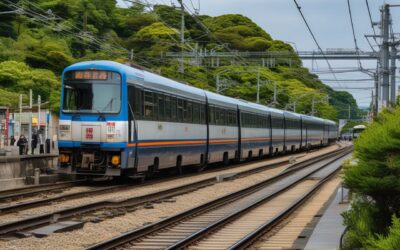

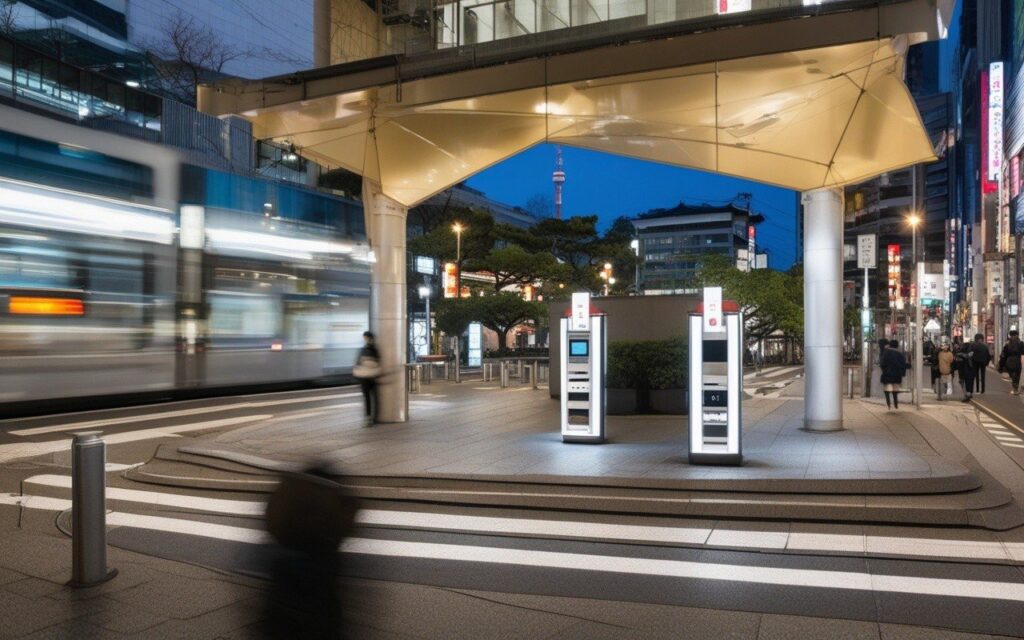
This guide provides essential travel tips and practical advice for navigating Kanagawa Prefecture. From transportation passes to safety information, you will find everything you need for a smooth and enjoyable trip.
Overview
📍 Location
- 5 major public Wi-Fi networks covered
- Step-by-step connection guides with screenshots
- Pre-registration recommended before arrival
- Security tips for safe browsing
- Nationwide coverage (not just Kanagawa)
Introduction: Public Wi-Fi in Japan


Japan has made significant improvements in public Wi-Fi infrastructure, especially after the 2020 Tokyo Olympics. But here’s the thing, the variety of networks and registration requirements can be confusing for first-time visitors.
This guide covers:
- Major public Wi-Fi networks available nationwide
- Step-by-step connection instructions
- Pre-registration options (save time!)
- Security best practices
- Troubleshooting tips
Whether you’re at:
- Train stations
- Convenience stores
- Parks and public facilities
- Shopping malls
- Restaurants and cafes This outline will help you stay connected throughout your Japan trip. Updated: March 2026 (all networks verified)
1. Japan Connected-free Wi-Fi (Official App)
Best for: One-stop solution for multiple networks
| Item | Details |
|---|---|
| Network Name | Various (depends on location) |
| Coverage | Nationwide (40,000+ spots) |
| Speed | 10-30 Mbps (varies by location) |
| Time Limit | Varies by network |
| Registration | One-time (via app) |
| Cost | Free |
| Languages | 7 languages |
What is Japan Connected-free Wi-Fi?
This is an official app launched by the Japanese government to make public Wi-Fi more accessible for international visitors. One registration gives you access to multiple participating networks.
Step 1: Download the App
Before You Travel (Recommended):
1. Download "Japan Connected-free Wi-Fi"
   - iOS: [App Store Link]
   - Android: [Google Play Link]
2. Install and open the app
3. Register with email or social media
4. Save your credentials
Step 2: Connect at Location
At Your Destination:
1. Enable Wi-Fi on your device
2. Look for participating networks:
   - WIFIRE (NTT East)
   - FREESPOT
   - 7SPOT (7-Eleven)
   - Lawson Wi-Fi
   - And 40,000+ more
3. Select the network
4. App auto-authenticates (no manual login!)
5. Start browsing
Supported Networks
Major Participating Networks:
✅ WIFIRE (NTT East)
✅ FREESPOT
✅ 7SPOT (7-Eleven)
✅ Lawson Wi-Fi
✅ FamilyMart Wi-Fi
✅ Starbucks Wi-Fi
✅ McDonald's Wi-Fi
✅ JR East Wi-Fi
✅ Tokyo Metro Wi-Fi
✅ And 40,000+ more locations
Pros & Cons
✅ Pros:
- One registration for all networks
- Automatic authentication
- Supports 7 languages
- Offline map available
- Free to use
❌ Cons:
- Requires app installation
- Some networks still need separate registration
- Speed varies by location
2. WIFIRE (NTT East)
Best for: Wide coverage in Eastern Japan (including Tokyo & Kanagawa)
| Item | Details |
|---|---|
| Network Name | WIFIRE |
| Coverage | Eastern Japan (Tokyo, Kanagawa, etc.) |
| Speed | 15-30 Mbps |
| Time Limit | 60 minutes/session |
| Registration | Required (one-time) |
| Cost | Free |
| Validity | 30 days |
WIFIRE Coverage Area
Major Coverage:
✅ Tokyo (23 wards)
✅ Kanagawa (Yokohama, Kawasaki, etc.)
✅ Saitama
✅ Chiba
✅ Ibaraki
✅ Tochigi
✅ Gunma
✅ Fukushima
✅ Miyagi
✅ Hokkaido (Sapporo)
#### Method 1: Web Registration (WIFIRE On-site)
Step 1: Select Network
- Enable Wi-Fi
- Select “WIFIRE” network
- Open browser (auto-redirects to login page)
Step 2: Register
4. Click “New Registration”
5. Enter email address
6. Create password (8+ characters)
7. Accept terms of service
8. Click “Register” Step 3: Login
9. Enter email and password
10. Click “Login”
11. Start browsing (valid for 60 minutes) Step 4: Reconnect
12. After 60 minutes, re-login (same credentials)
13. Valid for 30 days from registration
#### Method 2: Pre-registration (Before Travel)
Before You Travel:
- Visit: https://www.wifire.ne.jp/
- Click “Foreign Visitors”
- Register with email
- Save credentials
- Use immediately upon arrival
Connection Tips
✅ Best Practices:
- Register before arrival (saves 5 minutes on-site)
- Use Gmail or major email providers (fewer delivery issues)
- Save credentials in password manager
- Reconnect automatically within 30 days

❌ Common Issues:
- Email verification delayed (check spam folder)
- Password too simple (use 8+ characters with numbers)
- Browser cache issues (try incognito mode)
3. FREESPOT
Best for: Shopping areas and restaurants
| Item | Details |
|---|---|
| Network Name | FREESPOT |
| Coverage | Nationwide (10,000+ spots) |
| Speed | 10-20 Mbps |
| Time Limit | 60 minutes/session |
| Registration | Required (one-time) |
| Cost | Free |
| Validity | 30 days |
FREESPOT Coverage Area
Major Coverage:
✅ Tokyo (Shibuya, Shinjuku, etc.)
✅ Kanagawa (Yokohama, Kamakura, etc.)
✅ Osaka (Umeda, Namba, etc.)
✅ Kyoto (Gion, Arashiyama, etc.)
✅ Hokkaido (Sapporo)
✅ Fukuoka (Tenjin, Hakata, etc.)
✅ And 10,000+ locations nationwide
Typical Locations
Where to Find FREESPOT:
🏪 Shopping malls
🍽️ Restaurants and cafes
🏨 Hotels and ryokans
🏛️ Tourist facilities
🚉 Train stations
🏢 Public facilities
How to Connect (Step-by-Step)
Step 1: Select Network
1. Enable Wi-Fi
2. Select "FREESPOT" network
3. Open browser (auto-redirects)

Step 2: Register (First Time)
4. Click "New User Registration"
5. Enter:
   - Email address
   - Password (8+ characters)
   - Nickname (optional)
6. Accept terms
7. Click "Register" Step 3: Verify Email
8. Check email for verification code
9. Enter code on verification page
10. Registration complete! Step 4: Login
11. Enter email and password
12. Click "Login"
13. Start browsing (60 minutes) Step 5: Reconnect
14. Within 30 days: auto-login
15. After 30 days: re-register
FREESPOT App (Optional)
For Frequent Users:
1. Download FREESPOT app
   - iOS: [App Store Link]
   - Android: [Google Play Link]
2. Register once in app
3. Auto-connect at all FREESPOT locations
4. Find nearby spots on map
4. 7SPOT (7-Eleven)
Best for: Convenience and 24/7 access
| Item | Details |
|---|---|
| Network Name | 7SPOT |
| Coverage | Nationwide (20,000+ stores) |
| Speed | 15-25 Mbps |
| Time Limit | 60 minutes/session (3 sessions/day) |
| Registration | Required (one-time) |
| Cost | Free |
| Hours | 24/7 (most stores) |
Coverage
7-Eleven Stores:
✅ 20,000+ stores nationwide
✅ Most urban areas covered
✅ Many open 24/7
✅ Even in rural areas
Method 1: Web Registration
Step 1: Select Network
1. Enable Wi-Fi
2. Select "7SPOT" network
3. Open browser (auto-redirects)

Step 2: Register (First Time)
4. Click "New Registration"
5. Enter:
   - Email address
   - Password
   - Nickname (optional)
6. Accept terms
7. Click "Register" Step 3: Verify Email
8. Check email for verification
9. Click verification link
10. Registration complete! Step 5: Daily Limit
14. 3 sessions per day (60 min each)
15. Resets at midnight (JST)
Method 2: 7SPOT App (Recommended)
For Easier Access:
1. Download "7SPOT" app
   - iOS: [App Store Link]
   - Android: [Google Play Link]
2. Register in app (one-time)
3. Auto-connect at all 7-Eleven stores
4. No need to login each time
5. Find nearby stores on map
Usage Tips
✅ Tips:
- No purchase required (but appreciated)
- 3 sessions per day (180 minutes total)
- Works at ALL 7-Eleven stores in Japan
- great backup option when other Wi-Fi fails

❌ Limitations:
- 60 minutes per session
- 3 sessions per day limit
- Can be slow during peak times
Local Insight: 7-Eleven stores are everywhere in Japan (even in rural areas). 7SPOT is an excellent backup Wi-Fi option when traveling outside major cities.
5. Lawson Wi-Fi (LAWSON FREE Wi-Fi)
Best for: Convenience store access
| Item | Details |
|---|---|
| Network Name | LAWSON FREE Wi-Fi |
| Coverage | Nationwide (14,000+ stores) |
| Speed | 10-20 Mbps |
| Time Limit | 30 minutes/session (3 sessions/day) |
| Registration | Required (one-time) |
| Cost | Free |
| Hours | 24/7 (most stores) |
How to Connect to Lawson Wi-Fi
Step 1: Select Network
1. Enable Wi-Fi
2. Select "LAWSON FREE Wi-Fi"
3. Open browser

Step 2: Register (First Time)
4. Click "New Registration"
5. Enter email and password
6. Accept terms
7. Register Step 3: Login
8. Enter credentials
9. Start browsing (30 minutes) Step 4: Reconnect
10. 3 sessions per day allowed
11. Resets at midnight (JST)
Lawson vs 7SPOT Comparison
| Feature | Lawson | 7SPOT |
|---|---|---|
| Time Limit | 30 min/session | 60 min/session |
| Daily Limit | 3 sessions | 3 sessions |
| Total Daily | 90 minutes | 180 minutes |
| Stores | 14,000+ | 20,000+ |
| Speed | 10-20 Mbps | 15-25 Mbps |
| Winner | – | 7SPOT ⭐ |
6. FamilyMart Wi-Fi (Fami-WiFi)
Best for: FamilyMart shoppers
| Item | Details |
|---|---|
| Network Name | Fami-WiFi |
| Coverage | Nationwide (16,000+ stores) |
| Speed | 10-20 Mbps |
| Time Limit | 30 minutes/session (3 sessions/day) |
| Registration | Required (one-time) |
| Cost | Free |
| Hours | 24/7 (most stores) |
How to Connect to Fami-WiFi
Same process as Lawson and 7SPOT:
1. Select "Fami-WiFi"
2. Register with email
3. Login and browse
4. 30 minutes per session
5. 3 sessions per day
7. JR-EAST FREE Wi-Fi
Best for: Train travel in Eastern Japan
| Item | Details |
|---|---|
| Network Name | JR-EAST FREE Wi-Fi |
| Coverage | JR East stations (Tokyo, Yokohama, etc.) |
| Speed | 20-30 Mbps |
| Time Limit | 60 minutes/session |
| Registration | Required (one-time) |
| Cost | Free |
| Validity | 30 days |
8. Tokyo Metro Wi-Fi
Best for: Subway travel in Tokyo
| Item | Details |
|---|---|
| Network Name | Tokyo Metro Wi-Fi |
| Coverage | All Tokyo Metro stations |
| Speed | 15-25 Mbps |
| Time Limit | 240 minutes/day |
| Registration | Required (one-time) |
| Cost | Free |
| Validity | 30 days |
Tokyo Metro Coverage
Tokyo Metro Lines:
✅ Ginza Line
✅ Marunouchi Line
✅ Hibiya Line
✅ Tozai Line
✅ Chiyoda Line
✅ Yurakucho Line
✅ Hanzomon Line
✅ Namboku Line
✅ Fukutoshin Line
How to Connect to Tokyo Metro Wi-Fi
Same as JR-EAST:
1. Select "Tokyo Metro Wi-Fi"
2. Register with email or social media
3. Login and browse
4. 240 minutes per day (generous!)
5. Valid for 30 days
9. Starbucks Wi-Fi
Best for: Cafe work sessions
| Item | Details |
|---|---|
| Network Name | at_STARBUCKS_Wi-Fi |
| Coverage | All Starbucks stores in Japan |
| Speed | 20-30 Mbps |
| Time Limit | 60 minutes/session (unlimited sessions) |
| Registration | Required (free membership) |
| Cost | Free (purchase optional but expected) |
| Hours | Store hours (varies) |
How to Connect to Starbucks Wi-Fi
Step 1: Register for Starbucks Membership
- Download Starbucks app OR
- Visit starbucks.co.jp
- Create free account
- Verify email
Step 2: Connect at Store
- Select “at_STARBUCKS_Wi-Fi”
- Login with membership credentials
- Browse for 60 minutes
- Reconnect (unlimited sessions)
10. McDonald’s Wi-Fi
Best for: Quick meals and browsing
| Item | Details |
|---|---|
| Network Name | McDonald’s Wi-Fi |
| Coverage | Most McDonald’s stores |
| Speed | 15-25 Mbps |
| Time Limit | 30 minutes/session |
| Registration | Required (one-time) |
| Cost | Free |
| Hours | Store hours |
How to Connect to McDonald’s Wi-Fi
- Select “McDonald’s Wi-Fi”
- Open browser
- Register with email
- Login and browse (30 minutes)
- Reconnect if needed
📊 Comparison Table
| Network | Coverage | Speed | Time Limit | Registration | Best For |
|---|---|---|---|---|---|
| Japan Connected | 40,000+ | 10-30 Mbps | Varies | One-time | All-in-one |
| WIFIRE | Eastern Japan | 15-30 Mbps | 60 min | One-time | Eastern Japan |
| FREESPOT | 10,000+ | 10-20 Mbps | 60 min | One-time | Shopping areas |
| 7SPOT | 20,000+ | 15-25 Mbps | 60 min x3 | One-time | 24/7 access |
| Lawson | 14,000+ | 10-20 Mbps | 30 min x3 | One-time | Convenience |
| JR-EAST | 1,000+ stations | 20-30 Mbps | 60 min | One-time | Train travel |
| Tokyo Metro | All metro stations | 15-25 Mbps | 240 min | One-time | Subway travel |
| Starbucks | All stores | 20-30 Mbps | 60 min (∞) | Membership | Remote work |
Before You Leave Home (Recommended)
□ Download Japan Connected-free Wi-Fi app
□ Register for WIFIRE (https://www.wifire.ne.jp/)
□ Register for FREESPOT (https://www.freespot.com/)
□ Register for 7SPOT (app or website)
□ Register for Starbucks membership
□ Save all credentials in password manager
□ Test apps work on your device
□ Screenshot confirmation emails
Time Required
Total Setup Time: 30-45 minutes
- Japan Connected app: 5 minutes
- WIFIRE registration: 5 minutes
- FREESPOT registration: 5 minutes
- 7SPOT registration: 5 minutes
- Starbucks membership: 5 minutes
- Password manager setup: 10-15 minutes
Pro Tip: Do this 1-2 weeks before travel to resolve any issues before departure.
Safe Browsing on Public Wi-Fi
✅ DO:
- Use HTTPS websites only (look for 🔒)
- Use a VPN for sensitive data
- Log out of accounts when done
- Use two-factor authentication
- Keep software updated
- Use password manager

❌ DON'T:
- Access online banking
- Enter credit card details
- Share personal information
- Use same password everywhere
- Leave devices unattended
- Connect to unknown networks
Recommended VPN Services
For Japan Travel:
1. ExpressVPN (fast, reliable)
2. NordVPN (good value)
3. Surfshark (unlimited devices)
4. ProtonVPN (free tier available)

Note: VPNs are legal in Japan for personal use.
“Can’t connect to network”
Solutions:
1. Toggle Wi-Fi off/on
2. Forget network and reconnect
3. Restart device
4. Try different network
5. Move closer to access point
“Login page doesn’t appear”
Solutions:
1. Open browser manually
2. Visit https://example.com (forces redirect)
3. Clear browser cache
4. Try incognito/private mode
5. Use different browser
“Email verification not received”
Solutions:
1. Check spam/junk folder
2. Wait 5-10 minutes
3. Use different email provider (Gmail recommended)
4. Try social media login instead
5. Contact network support
“Slow speeds”
Solutions:
1. Move to different location
2. Try different network
3. Avoid peak hours (12-2 PM, 6-8 PM)
4. Close background apps
5. Try 5GHz band if available
“Session expired too quickly”
Solutions:
1. Check time limit for that network
2. Some networks count inactive time
3. Keep browser active (don't leave tab open)
4. Reconnect (most allow unlimited sessions)
5. Try different network
Maximize Your Wi-Fi Time
Strategy 1: Network Rotation
- Use 7SPOT (60 min) → Lawson (30 min) → FamilyMart (30 min)
- Total: 120 minutes in one area

Strategy 2: Session Management
- Most networks allow unlimited sessions
- Just re-login after time limit
- Set timer to remind yourself

Strategy 3: Location Selection
- Train stations: Fast but crowded
- Convenience stores: Reliable, 24/7
- Cafes: Comfortable, power outlets
- Parks: Outdoor, weather dependent
Best Combinations by Area
Tokyo/Yokohama:
✅ JR-EAST + Tokyo Metro + 7SPOT
✅ Complete coverage for train travel

Kanagawa (Shonan/Kamakura):
✅ WIFIRE + FREESPOT + 7SPOT
✅ Good coverage in tourist areas Rural Areas:
✅ 7SPOT + Lawson + FamilyMart
✅ Convenience stores are everywhere
Essential Apps
-
Japan Connected-free Wi-Fi
-
Google Maps
- Search “free Wi-Fi near me”
- Check recent reviews for speed info
- Save favorite locations
-
WiFi Map
- Community-sourced passwords
- Offline mode
- Speed tests
Optional Apps
- 7SPOT (7-Eleven)
- FREESPOT
- Starbucks
- Tokyo Metro
- JR-EAST
❓ Frequently Asked Questions
Q: Do I need to register for each network separately?
A: Without Japan Connected app: Yes, each network requires separate registration. With Japan Connected app: One registration covers 40,000+ spots (highly recommended!).
Q: Is public Wi-Fi free in Japan?
A: Yes! All major public Wi-Fi networks in Japan are completely free. No payment required, just registration.
Q: How long does registration take?
A: First-time registration takes 3-5 minutes per network. Pre-register before travel to save time. Japan Connected app is fastest (one registration for all).
Q: Can I use Wi-Fi without speaking Japanese?
A: Yes! All major networks have English login pages. Look for the English button (usually top-right corner). Japan Connected app supports 7 languages.
Q: Is public Wi-Fi secure in Japan?
A: Generally yes, but follow standard security practices: use HTTPS, avoid banking, consider a VPN for sensitive data.
🔗 Related Articles
Last Updated: March 3, 2026
Written by: Anaba OffJapan Editorial Team
Tested: All networks verified February-March 2026
🌟 Share Your Experience
Found a great Wi-Fi spot? Have connection tips for fellow travelers? Join our community forum to share your experiences!
Anaba OffJapan – Avoid the Crowds, Go Deeper into Japan.
📝 Conclusion
Japan offers extensive public Wi-Fi networks, and with pre-registration through the Japan Connected-free Wi-Fi app, you can stay connected from the moment you arrive. Pre-registering before your trip saves time and ensures a smooth experience navigating trains, convenience stores, and tourist spots throughout Kanagawa and beyond.
Frequently Asked Questions
, I’m confident that these recommendations will make your trip to Kanagawa unforgettable. The small details — knowing where to charge your phone, find a restroom, or stash your luggage — can make the difference between a stressful trip and a seamless journey through Kanagawa.
During my visit I went with a rough plan and found that leaving room to wander made the trip far more memorable.