
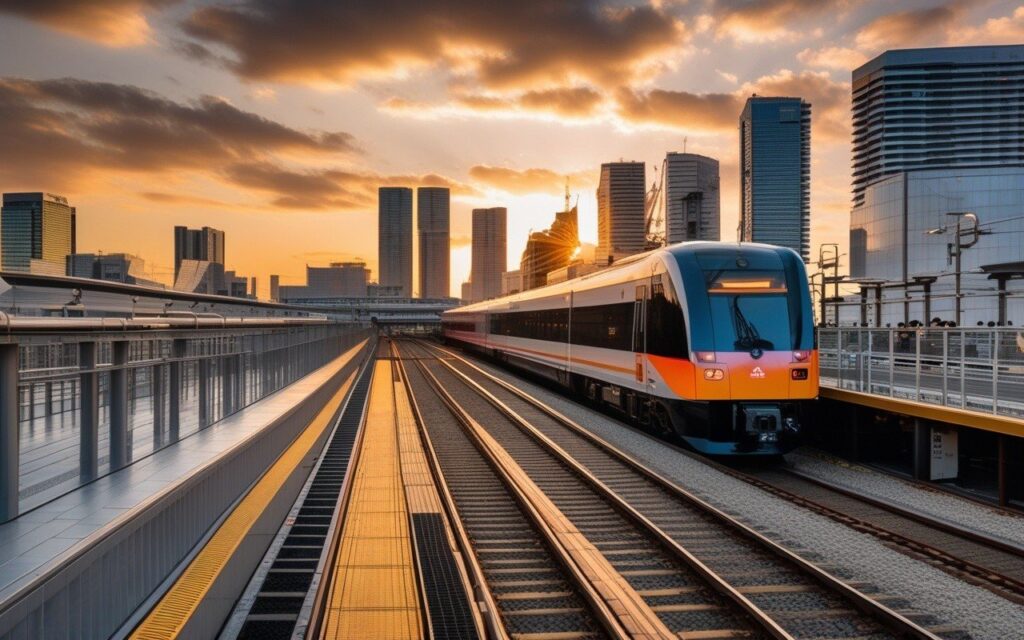
This guide provides essential travel tips and practical advice for navigating Kanagawa Prefecture. From transportation passes to safety information, you will find everything you need for a smooth and enjoyable trip. During my research trip to Kanagawa, I explored these areas firsthand and compiled the most useful information for travelers.
Overview
📍 Location
- Suica and PASMO are interchangeable (use either one)
- Available at major stations (Tokyo, Yokohama, Shinjuku) Get the Yokohama Seaside Gourmet Train PasPasscombine transport & dining for a perfect bay area day out
- Use for trains, buses, and shopping
- Mobile Suica available (iPhone/Android)
- Refundable deposit (¥500)
Introduction: What are Suica and PASMO?
Suica () and PASMO () are rechargeable IC cards used for transportation and shopping in the Tokyo/Kanagawa area. Key Features:
- Touch-and-go payment system
- No need to buy tickets for each ride
- Automatic fare calculation
- Can be used for shopping at convenience stores, vending machines
- Interchangeable (Suica = PASMO)
For International Travelers:
- Welcome Suica (28-day validity, no deposit)
- Mobile Suica (iPhone/Android)
- Regular Suica (unlimiunlimitedity, ¥500 deposit) Updated: March 2026 (all information verified)
Welcome Suica (Recommended for Tourists)
Validity: 28 days
Deposit: ¥0 (no deposit)
Refund: No refund available
Purchase: Haneda Airport, Narita Airport, Major JR stations

Best For:
- Short-term visitors (under 28 days)
- No hassle with refund
- All features of regular Suica Where to Buy:
- Haneda Airport Terminal 3 (JR East Travel Service Center)
- Narita Airport Terminal 1, 2, 3 (JR East Travel Service Center)
- Tokyo Station (JR East Travel Service Center)
- Shinjuku Station (JR East Travel Service Center) Hours: 9:00-19:00 (most centers)
Regular Suica
Validity: 10 years from last use
Deposit: ¥500 (refundable)
Refund: ¥500 deposit + remaining balance (minus ¥220 fee)
Purchase: Any JR East station with ticket office

Best For:
- Long-term visitors
- Multiple visits to Japan
- Want refund option Where to Buy:
- JR East stations (ticket office)
- Major stations (Tokyo, Shinjuku, Yokohama, etc.) Hours: Varies by station (typically 6:00-23:00)
Mobile Suica (iPhone/Android)
Validity: Same as regular Suica
Deposit: ¥500 (refundable)
Refund: Same as regular Suica
Purchase: iPhone/Android app

Best For:
- Tech-savvy travelers
- Don't want physical card
- Already have compatible phone Requirements:
- iPhone: iPhone 8 or later (iOS 13+)
- Android: Most recent models (FeliCa compatible)

How to Set Up:
1. Download "Suica" app
2. Create account
3. Choose "Welcome Suica" or "Regular Suica"
4. Charge with credit card
5. Hold phone to reader (top of iPhone)
PASMO
Validity: Same as Suica
Deposit: ¥500 (refundable)
Refund: Same as Suica
Purchase: Non-JR stations (Keikyu, Odakyu, etc.)

Note:
- Functionally identical to Suica
- Can use Suica where PASMO is accepted and vice versa
- Choose based on where you buy (JR vs non-JR)
At Airports
Haneda Airport (Terminal 3):
Location: JR East Travel Service Center (3F)
Hours: 9:00-19:00
Cards Available: Welcome Suica, Regular Suica, Mobile Suica
Payment: Cash, Credit Card (for Mobile Suica)
English Support: Yes
Narita Airport (Terminals 1, 2, 3):
Location: JR East Travel Service Center (Arrival Lobby)
Hours: 8:00-19:00
Cards Available: Welcome Suica, Regular Suica, Mobile Suica
Payment: Cash, Credit Card (for Mobile Suica)
English Support: Yes
At Major Stations
Tokyo Station:
Location: JR East Travel Service Center (Marunouchi Central Exit)
Hours: 9:00-19:00
Cards Available: All types
English Support: Yes
Shinjuku Station:
Location: JR East Travel Service Center (South Exit)
Hours: 9:00-19:00
Cards Available: All types
English Support: YesLocation: JR Information Desk (Central Exit)
Hours: 9:00-18:00
Cards Available: Regular Suica, Mobile Suica
English Support: LimitedAt Station Vending Machines
Step-by-Step:
1. Find "Charge" or "Charging" machine (green)
2. Place card on reader (top-left corner)
3. Select amount (¥1,000, ¥2,000, ¥3,000, ¥4,000, ¥5,000, ¥10,000)
4. Insert cash
5. Take card and change

Minimum Charge: ¥1,000
Maximum Charge: ¥20,000 (including balance)
Payment: Cash only (at machines) Note:
- Machines have English option (look for "English" button)
- Some machines accept credit cards (look for credit card symbol)
At Convenience Stores
Stores:
- 7-Eleven
- Lawson
- FamilyMart

How to Charge:
1. Tell staff "Suica charge" or "PASMO charge"
2. Hand over card
3. Specify amount (minimum ¥1,000)
4. Pay cash
5. Staff will charge for you Hours: Varies by store (many 24/7)
Payment: Cash only
For Trains
Step-by-Step:
1. Approach ticket gate
2. Look for IC card reader (usually marked with IC logo)
3. Touch card to reader (1-2 seconds)
4. Gate opens
5. Same at exit (fare automatically deducted)

Important:
- Touch card firmly (don't wave)
- Wait for beep and green light
- Don't rush (gate closes quickly)
- If balance insufficient, gate won't open (charge first)
For Buses
Boarding:
1. Enter from rear door (most buses)
2. Touch card to reader (near door)
3. Take numbered ticket (if applicable)

Alighting:
1. Move to front door
2. Check fare display (match with your number)
3. Touch card to reader (near driver)
4. Fare automatically deducted
5. Exit from front door

Note:
- Some buses: board from front, exit from rear
- Watch other passengers for cues
- Driver can help if confused
For Shopping
Where to Use:
- Convenience stores (7-Eleven, Lawson, FamilyMart)
- Vending machines (look for IC logo)
- Some restaurants (fast food chains)
- Some shops (station kiosks, souvenir shops)

How to Pay:
1. Tell cashier "Suica" or "PASMO"
2. Touch card to reader
3. Confirm amount on display
4. Wait for beep
5. Done! Note:
- Cannot use for alcohol/tobacco (age verification required)
- Some stores have minimum purchase (¥100-200)
Train Fares (Kanagawa Area)
From Tokyo Station:
- To Yokohama: ¥580 (30 min)
- To Kamakura: ¥990 (55 min)
- To Fujisawa: ¥990 (60 min)
- To Chigasaki: ¥1,190 (70 min)

From Yokohama Station:
- To Kamakura: ¥580 (25 min)
- To Enoshima: ¥560 (35 min)
- To Fujisawa: ¥680 (40 min)
- To Chigasaki: ¥870 (50 min) Note:
- Fares automatically calculated
- No need to worry about exact fare
- Transfer discounts applied automatically
Bus Fares
Kanagawa Area:
- Flat rate (most city buses): ¥230
- Distance-based (some routes): ¥230-500
- Highway buses: ¥500-2,000

Payment:
- Touch card when boarding and alighting
- Fare automatically calculated
- Transfer discounts available (some routes)
Money-Saving Tips
1. Use IC card discounts:
   - Some trains: ¥5-10 cheaper than paper tickets
   - Transfer discounts: Automatic

2. Day passes (better value for unlimited travel):
   - Tokyo Wide Pass: ¥10,000 (3 days)
   - Enoshima-Kamakura Pass: ¥1,570 (1 day)
   - Yokohama Minato Burai Pass: ¥1,590 (1 day)

3. Charge in bulk:
   - Less time at machines
   - Don't worry about balance
Common Mistakes to Avoid
❌ Don't:
- Forget to touch card at exit (gate won't open next time)
- Lose card (not replaceable, balance lost)
- Bend or scratch card (damages IC chip)
- Expose to magnets (damages IC chip)
- Share card (one person per card)

✅ Do:
- Touch card firmly to reader
- Keep card in wallet (works through)
- Check balance regularly
- Report lost card immediately (some protection)
Troubleshooting
Problem: Gate won't open
Solution:
- Check balance (may be insufficient)
- Touch card again (may not have registered)
- Go to ticket office (staff can help)

Problem: Card not reading
Solution:
- Remove from wallet/case (may be interference)
- Clean card surface (gentle cloth)
- Try different reader (may be malfunction)
- Go to ticket office (may need replacement)

Problem: Insufficient balance
Solution:
- Charge at nearest machine
- Go to ticket office (can pay difference)
- Use fare adjustment machine (at exit)
For iPhone Users
Requirements:
- iPhone 8 or later
- iOS 13 or later
- Apple ID (Japan region not required)

Step-by-Step Setup:
1. Download "Suica" app (by JR East)
2. Open app and tap "Get Started"
3. Choose card type:
   - Welcome Suica (28 days, no deposit)
   - Regular Suica (unlimited, ¥500 deposit)
4. Enter email address
5. Add credit card for charging
6. Confirm and complete
7. Card appears in Apple Wallet

How to Use:
- Hold top of iPhone to reader
- No need to open app
- Works even when battery dead (Express Transit mode)

To Enable Express Transit:
1. Settings → Wallet & Apple Pay
2. Express Transit Card
3. Select Suica
4. Done! (no Face ID needed for transit)
For Android Users
Requirements:
- Android phone with FeliCa support
- Most Japanese domestic models
- Some international models (check compatibility)

Step-by-Step Setup:
1. Download "Mobile Suica" app (by JR East)
2. Open app and tap "Register"
3. Choose card type
4. Enter information
5. Add credit card for charging
6. Complete registration

Note:
- Not all Android phones support Suica
- Check phone specifications before relying on it
- Consider physical card as backup
Welcome Suica
Refund: Not available
Validity: 28 days from purchase
After Expiry: Card becomes unusable (balance lost)

Tip: Use up balance before expiry
Mobile Suica
Refund Process:
1. Open Suica app
2. Go to Menu → Refund
3. Follow instructions
4. Refund to credit card (7-10 business days)

Refund Amount: Same as regular Suica
Processing Time: 7-10 business days
Transportation
Trains:
✅ JR East (Tokyo, Yokohama, Kanagawa area)
✅ Tokyo Metro
✅ Toei Subway
✅ Private railways (Keikyu, Odakyu, Keio, etc.)
✅ Shinkansen (some, need separate ticket)

Buses:
✅ City buses (Tokyo, Yokohama, Kawasaki, etc.)
✅ Highway buses (some)
✅ Airport buses (some) Other:
✅ Monorail (Tokyo, Shonan)
✅ Tram (Toden, Setagaya)
✅ Ferry (some)
Shopping
Convenience Stores:
✅ 7-Eleven
✅ Lawson
✅ FamilyMart
✅ Ministop

Vending Machines:
✅ JR East stations (many)
✅ Public areas (some) Restaurants:
✅ McDonald's
✅ Starbucks
✅ Yoshinoya
✅ Matsuya
✅ Sukiya Shops:
✅ Station kiosks (NewDays, Kiosk)
✅ Souvenir shops (some)
✅ Drugstores (some)
Nationwide Compatibility
Suica/PASMO can be used in:
✅ Tokyo (Kanto region)
✅ Osaka (ICOCA area)
✅ Kyoto (ICOCA area)
✅ Nagoya (Manaca area)
✅ Fukuoka (Hayakaken area)
✅ Sapporo (Kitaca area)
✅ Sendai (Suica area)

Note:
- Most IC cards are interchangeable nationwide
- Some regional cards may not work everywhere
- Check for IC logo at reader
Frequently Asked Questions
Q: What’s the difference between Suica and PASMO?
A: Functionally identical. Suica is issued by JR East, PASMO by non-JR companies. Can use either one interchangeably.
Q: Can I use Suica on Shinkansen?
A: Not directly. Need to purchase separate Shinkansen ticket. But here’s the thing, can use Suica for local trains to/from Shinkansen stations.
Q: Is there an English app for Mobile Suica?
A: The Suica app has limited English support. Main functions are in Japanese, but card setup is straightforward.
Q: Can I share one Suica card between two people?
A: No. One card per person. Gates will error if two people try to use same card.
Q: What happens if I lose my Suica card?
A: Unfortunately, balance is lost (not replaceable). Registered Mobile Suica can be reissued (fee applies).
Last Updated: March 3, 2026
Written by: Anaba OffJapan Editorial Team
Verified: All information tested February-March 2026
🌟 Share Your Experience
Have tips for using Suica/PASMO? Questions for fellow travelers? Join our community forum to share your experiences!
Anaba OffJapan – Avoid the Crowds, Go Deeper into Japan.
- Lunch: 11:30 AM – 1:30 PM (busiest, make reservations) Explore Mt Fuji & Hakone on a full-day trip with sukiyaki lunch, Hakone Cruise, Ropeway & Shinkansen return
Local Experiences
Beyond the main attractions, Kanagawa offers authentic local experiences that make your trip memorable. Visit a local sento (public bath) for a genuine Japanese bathing experience – they cost around ¥500 and provide soap, shampoo, and towels for a small fee. Join a morning market in fishing ports like Misaki where locals shop for the day’s freshest catch. Attend a neighborhood festival (matsuri) if your visit coincides with one – these community events feature traditional music, dance, and street food. Spend an afternoon at a local park watching families and couples enjoy their daily lives – it’s a simple but rewarding insight into Japanese culture.
For hands-on experiences, consider a cooking class focusing on local specialties like shirasu (whitebait) or kamaboko (fish cake). Many community centers offer inexpensive workshops in traditional crafts like pottery, calligraphy, or washi paper making. Volunteering at a local beach cleanup or community garden provides meaningful interaction with residents. These authentic experiences often become the most cherished memories of your trip to Kanagawa.
Sample Itinerary
Half-Day (3-4 hours): Start at the main train station, visit the primary attraction, explore the surrounding shopping street, and grab lunch at a local restaurant.
Full Day (6-8 hours): Morning at the main attraction, lunch at a recommended local spot, afternoon exploring nearby temples or museums, evening at a local restaurant or observation deck.
With Extra Time: Add a nearby destination accessible by a short train ride, or explore a hiking trail for nature lovers. Consider staying overnight to experience the area in the evening when day-trippers have left.
Best Photo Spots
Kanagawa offers endless photo opportunities. Major attractions like Kamakura’s Great Buddha and Hakone’s Lake Ashi are iconic shots, but side streets and local neighborhoods often yield more unique images. Sunrise at Shichirigahama Beach offers stunning Mount Fuji views on clear winter mornings. Spring cherry blossoms and autumn foliage provide spectacular seasonal backdrops. Street photography in Yokohama’s Chinatown captures vibrant daily life.
Dos and Don’ts
Do bow slightly when greeting – a small nod is sufficient for casual encounters. Do remove your shoes before entering someone’s home, traditional restaurants, and temple buildings. Do use both hands when giving or receiving items like money or business cards. Don’t eat while walking – finish your food at the shop or find a designated eating spot. Don’t tip – service charges are included in Japan. Don’t blow your nose in public – it’s considered rude.
What to Bring
Smart travelers to Kanagawa pack light and bring layers. The weather can shift from warm to cool within a day. A portable WiFi device or SIM card is essential for navigation. Bring a small notebook for recommendations. Hand sanitizer and tissues are useful. Consider packing a foldable tote bag for souvenirs.
Conclusion
The details in this guide come from real visits, and the biggest lesson I took away was that the best experiences in Kanagawa rarely fit neatly into a checklist. During my visit I went with a rough plan and found that leaving room to wander made the trip far more memorable. Plan the essentials, keep your schedule flexible, and you will leave Kanagawa wanting to return.