

This guide provides essential travel tips and practical advice for navigating Kanagawa Prefecture. From transportation passes to safety information, you will find everything you need for a smooth and enjoyable trip. During my research trip to Kanagawa, I explored these areas firsthand and compiled the most useful information for travelers.
Japan Sim Esim – Complete Guide 2026
Overview
Access
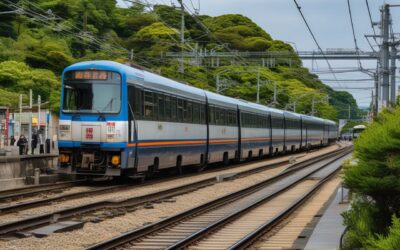
Most visitors reach Kanagawa from central Tokyo by JR, private railway, or highway bus, and an IC card (Suica or Pasmo) works across all of them. From my experience, leaving Tokyo before the morning rush keeps the journey relaxed, and station luggage lockers are handy if you arrive early.
Introduction: Staying Connected in Japan
Having mobile data in Japan is a must-have for:



- Navigation (Google Maps)
- Translation (Google Translate)
- Train schedules (Japan Transit Planner)
- Restaurant reservations
- Emergency communication
- Sharing photos with family
This outline covers:
- SIM cards (physical)
- eSIMs (digital, newer phones only)
- Pocket Wi-Fi (portable hotspot)
- Where to buy (airport, online, stores)
- Price comparison
- Setup instructions Updated: March 2026 (all providers verified)
Quick Comparison
| Feature | SIM Card | eSIM | Pocket Wi-Fi |
|---|---|---|---|
| Physical Item | Yes | No | Yes |
| Setup | Insert card | Scan QR code | Turn on device |
| Devices | 1 phone | 1 phone | Multiple devices |
| Battery | None | None | Needs charging |
| Price | ¥¥ | ¥¥ | ¥¥¥ |
| Best For | Most travelers | Newer phones | Groups/families |
Which Should You Choose?
Choose SIM Card if:
✅ Your phone is unlocked
✅ You want simple setup
✅ You're traveling solo
✅ Budget really matters

Choose eSIM if:
✅ Your phone supports eSIM (iPhone XS+, Pixel 3+)
✅ You want instant activation
✅ You don't want to swap SIMs
✅ You're comfortable with digital setup

Choose Pocket Wi-Fi if:
✅ You're traveling with family/group
✅ You have multiple devices
✅ You want unlimited data
✅ You don't mind charging device daily
Major Providers
| Provider | Data | Validity | Price | Pickup |
|---|---|---|---|---|
| Japan Travel SIM | 3GB | 30 days | ¥3,500 | Airport/Online |
| Sakura Mobile | 5GB | 30 days | ¥4,500 | Airport/Online |
| IIJmio | 6GB | 30 days | ¥3,000 | Online |
| DMM mobile | 5GB | 30 days | ¥3,500 | Online |
| SoftBank Prepaid | 1GB | 90 days | ¥4,800 | Airport/Store |
Where to Buy SIM Cards
At Airports (Haneda/Narita):
✅ BIC CAMERA (Terminal 3 Haneda)
✅ Yodobashi Camera (Narita Terminal 1)
✅ Sakura Mobile Counter (Both airports)
✅ Japan Travel SIM Counter (Both airports)

Hours: 6:00-23:00 (most counters)
Payment: Cash, Credit Card Online (Before Travel):
✅ Amazon Japan
✅ Rakuten
✅ Provider websites
Delivery: 3-7 days (Japan address only)
Setup Instructions
Step 1: Purchase SIM
- Visit counter or order online
- Show passport (required by law)
- Choose plan
- Pay
Step 2: Insert SIM
- Turn off phone
- Remove old SIM (if any)
- Insert new SIM
- Turn on phone Step 3: Activate
- Follow provider’s instructions
- Usually automatic
- Test data connection
Step 4: APN Settings (if needed)
- Settings → Mobile Data → APN
- Enter provider’s APN details
- Save and restart
Major eSIM Providers
| Provider | Data | Validity | Price | Activation |
|---|---|---|---|---|
| Airalo | 1GB | 7 days | $4.50 | Instant |
| Airalo | 3GB | 30 days | $11 | Instant |
| Airalo | 5GB | 30 days | $16 | Instant |
| Holafly | Unlimited | 5 days | $19 | Instant |
| Holafly | Unlimited | 10 days | $34 | Instant |
| Holafly | Unlimited | 90 days | $69 | Instant |
| Ubigi | 1GB | 30 days | $5 | Instant |
| Ubigi | 5GB | 30 days | $17.50 | Instant |
Where to Buy eSIM
Online (Before or During Travel):
✅ Airalo app (iOS/Android)
✅ Holafly website
✅ Ubigi app
✅ Nomad app
Activation: Instant (QR code)
Payment: Credit Card, PayPal, Apple Pay
#### Setup Instructions (iPhone)
Step 1: Purchase eSIM
- Download Airalo app (or provider app)
- Create account
- Select Japan plan
- Pay with credit card
Step 2: Install eSIM
5. Open email with QR code
6. Settings → Cellular → Add Cellular Plan
7. Scan QR code
8. Follow on-screen instructions
Step 3: Configure
9. Label plan (e.g., “Japan Data”)
10. Choose default line for data
11. Enable Data Roaming (required)
12. Turn off old SIM (optional) Step 4: Test
13. Turn off Wi-Fi
14. Open browser
15. Test connection
#### Setup Instructions (Android)
Step 1: Purchase eSIM
- Download provider app
- Create account
- Select Japan plan
- Pay
Step 2: Install eSIM
5. Settings → Network & Internet → Mobile Network
6. Add carrier
7. Scan QR code
8. Follow instructions Step 3: Configure
9. Enable data roaming
10. Select eSIM for mobile data
11. Turn off old SIM (optional) Step 4: Test
12. Turn off Wi-Fi
13. Test connection
| Provider | Data | Speed | Battery | Price/Day |
|---|---|---|---|---|
| Ninja WiFi | Unlimited | 150 Mbps | 10 hours | ¥500-800 |
| Japan Wireless | Unlimited | 150 Mbps | 10 hours | ¥550-900 |
| SoftBank Global | Unlimited | 150 Mbps | 8 hours | ¥600-1,000 |
| Wi-Ho! | Unlimited | 150 Mbps | 10 hours | ¥500-850 |
Where to Rent Pocket Wi-Fi
At Airports:
✅ Ninja WiFi Counter (Haneda/Narita)
✅ Japan Wireless Counter (Both airports)
✅ SoftBank Store (Both airports)
Online (Before Travel):
✅ Provider websites
✅ Klook
✅ KKday Delivery Options:
- Airport pickup (free)
- Hotel delivery (¥500-1000)
- Home delivery before departure
Rental Process
Step 1: Reserve Online (Recommended)
- Visit provider website
- Select dates
- Choose pickup location
- Pay (or pay on pickup)
Step 2: Pickup at Airport
- Arrive at airport
- Find counter (follow signs)
- Show passport and reservation
- Receive device
- Staff explains usage
Step 3: Use in Japan
- Turn on device
- Connect to Wi-Fi network
- Password provided with device
- Charge nightly Step 4: Return
- Use prepaid envelope
- Drop at airport/post office
- Or return to counter
Budget Options (Under ¥3,000)
Best Value:
- IIJmio SIM: ¥3,000 (6GB, 30 days)
- Airalo eSIM: ¥1,650 (3GB, 30 days)
- Ubigi eSIM: ¥750 (1GB, 30 days)
Good for:
- Light users
- Short trips (under 1 week)
- Backup connectivity
Mid-Range (¥3,000-¥5,000)
Best Value:
1. Sakura Mobile SIM: ¥4,500 (5GB, 30 days)
2. Japan Travel SIM: ¥3,500 (3GB, 30 days)
3. Airalo eSIM: ¥2,400 (5GB, 30 days)

Good for:
- Most travelers
- 1-2 week trips
- Moderate data usage
Premium (¥5,000+)
Best Value:
1. Holafly eSIM: ¥5,100 (Unlimited, 10 days)
2. Ninja WiFi: ¥5,500 (Unlimited, 10 days)
3. SoftBank Prepaid: ¥4,800 (1GB, 90 days)

Good for:
- Heavy data users
- Long trips
- Business travelers
- Groups (Pocket Wi-Fi)
Haneda Airport (Tokyo International)
Terminal 3 (International):

SIM Card Counters:
📍 BIC CAMERA (3F Arrival Lobby)
   Hours: 6:30-23:00
   Brands: Japan Travel SIM, Sakura Mobile 📍 Sakura Mobile Counter (2F Arrival)
   Hours: 7:00-23:00
   Brands: Sakura Mobile SIM & eSIM 📍 SoftBank Store (3F Departure)
   Hours: 7:00-22:00
   Brands: SoftBank Prepaid Pocket Wi-Fi:
📍 Ninja WiFi (2F Arrival)
   Hours: 7:00-23:00 📍 Japan Wireless (2F Arrival)
   Hours: 7:00-23:00
Narita Airport
Terminal 1 & 2 (International):

SIM Card Counters:
📍 Yodobashi Camera (1F Arrival)
   Hours: 7:00-22:00
   Brands: Multiple SIMs 📍 Sakura Mobile Counter (1F Arrival)
   Hours: 8:00-20:00 Pocket Wi-Fi:
📍 Ninja WiFi (1F Arrival)
   Hours: 8:00-20:00 📍 Wi-Ho! (1F Arrival)
   Hours: 8:00-20:00
Yokohama (Alternative)
If staying in Yokohama area:

📍 BIC CAMERA Yokohama Station
   Address: 1F, 1-6-1 Minamisaiwai, Nishi-ku
   Hours: 10:00-21:00
   Brands: SIM cards, eSIM vouchers 📍 SoftBank Store (various locations)
   Multiple stores in Yokohama
   Check website for nearest
For SIM Card Purchase
Required by Law:
✅ Valid passport (original, not copy)
✅ Tourist visa status (stamp in passport)

Not Required:
❌ Japanese address
❌ Japanese phone number
❌ Credit card (cash accepted)
For eSIM Purchase
Online Purchase:
✅ Credit card or PayPal
✅ Email address
✅ Compatible phone

At Counter:
✅ Passport (some providers)
✅ Payment method
For Pocket Wi-Fi Rental
Required:
✅ Passport
✅ Credit card (for deposit)
✅ Flight details (for delivery)

Deposit:
- Usually ¥0-¥5,000
- Refunded on return
- Waived with credit card
ESIM Compatible Phones
Apple iPhone:
✅ iPhone XS / XS Max (2018)
✅ iPhone XR (2018)
✅ iPhone 11 series (2019)
✅ iPhone 12 series (2020)
✅ iPhone 13 series (2021)
✅ iPhone 14 series (2022)
✅ iPhone 15 series (2023)
✅ iPhone 16 series (2024)

Google Pixel:
✅ Pixel 3 / 3 XL (2018)
✅ Pixel 4 / 4 XL (2019)
✅ Pixel 5 (2020)
✅ Pixel 6 / 6 Pro (2021)
✅ Pixel 7 / 7 Pro (2022)
✅ Pixel 8 / 8 Pro (2023)

Samsung Galaxy:
✅ Galaxy S20 series (2020)
✅ Galaxy S21 series (2021)
✅ Galaxy S22 series (2022)
✅ Galaxy S23 series (2023)
✅ Galaxy S24 series (2024) Note: Japanese domestic models may not support eSIM.
SIM Card Compatibility
All phones with SIM slot:
✅ Standard SIM (rare, old phones)
✅ Micro SIM (older smartphones)
✅ Nano SIM (most modern phones)

Most Japan SIMs are Nano SIM.
Adapters available for Micro/Standard SIM.
How to Check if Phone is Unlocked
iPhone:
1. Settings → General → About
2. Look for "Carrier Lock"
3. Should say "No SIM restrictions"

Android:
1. Settings → About Phone → SIM Status
2. Or insert different SIM
3. If it works, phone is unlocked

Contact carrier if locked:
- Most carriers unlock for free
- May require account in good standing
- Processing time: 1-7 days
How Much Data Do You Need?
Light User (1-3GB for 1-2 weeks):
✅ Maps navigation
✅ Messaging (LINE, WhatsApp)
✅ Email
✅ Web browsing
✅ Some social media

Moderate User (5-10GB for 1-2 weeks):
✅ All light usage
✅ Video streaming (1-2 hours/day)
✅ Photo uploads
✅ Video calls
✅ Music streaming

Heavy User (Unlimited):
✅ All moderate usage
✅ Heavy video streaming
✅ Hotspot for laptop
✅ 4K video
✅ Large file downloads
Data Saving Tips
✅ Download offline maps (Google Maps)
✅ Download translation packs (Google Translate)
✅ Use Wi-Fi when available (hotels, cafes)
✅ Turn off auto-play videos
✅ Disable background app refresh
✅ Use data saver mode
✅ Download entertainment before trip

Estimated Daily Usage:
- Maps: 5-10 MB/hour
- Social media: 50-100 MB/hour
- Video streaming: 500 MB-3 GB/hour
- Video calls: 200-500 MB/hour
Before You Travel (Recommended Timeline)
2 Weeks Before:
□ Check phone is unlocked
□ Research providers
□ Compare prices
□ Read reviews

1 Week Before:
□ Order eSIM or SIM online
□ Reserve Pocket Wi-Fi
□ Download necessary apps
□ Test eSIM installation (if applicable)

Day Before:
□ Confirm reservation
□ Pack charger for Pocket Wi-Fi
□ Save provider contact info
□ Screenshot confirmation emails Arrival Day:
□ Pickup SIM/Pocket Wi-Fi at airport
□ Install/activate
□ Test connection
□ Save emergency numbers
Activation Steps
Physical SIM:
1. Insert SIM card
2. Restart phone
3. Usually auto-activates
4. If not, follow provider instructions
5. Test data connection

eSIM:
1. Scan QR code (before or after arrival)
2. Follow on-screen setup
3. Enable data roaming
4. Select eSIM for mobile data
5. Test connection

Pocket Wi-Fi:
1. Turn on device
2. Connect to Wi-Fi network
3. Enter password (provided)
4. Test connection
5. Charge nightly
“No service” or “No signal”
Solutions:
1. Restart phone
2. Check Airplane Mode is OFF
3. Ensure SIM is properly inserted
4. Check coverage map
5. Move to open area
6. Contact provider support
“Data not working”
Solutions:
1. Enable Data Roaming (required!)
2. Check APN settings
3. Restart phone
4. Check data balance
5. Contact provider
“Can’t make calls”
Note: Most tourist SIMs are DATA ONLY.
For calls, use:
- LINE (free app-to-app)
- WhatsApp calls
- Skype
- Google Voice

If calls needed:
- Purchase voice-enabled SIM
- Use provider's calling card
- Use public phones (rare)
“Pocket Wi-Fi not connecting”
Solutions:
1. Check battery level
2. Restart device
3. Forget network and reconnect
4. Check password
5. Check data limit
6. Contact provider
Best Overall: Sakura Mobile
⭐⭐⭐⭐⭐ (5/5)

Pros:
✅ English support
✅ Airport pickup
✅ Multiple plan options
✅ Good coverage
✅ Fair pricing Cons:
❌ Slightly more expensive
❌ Limited unlimited plans Best For: Most travelers wanting reliable service
Best Budget: IIJmio
⭐⭐⭐⭐ (4/5)

Pros:
✅ Cheap prices
✅ Good data allowance
✅ Reliable network
✅ Online support Cons:
❌ Limited airport presence
❌ Japanese-only website
❌ Advance booking required Best For: Budget travelers planning ahead
Best eSIM: Airalo
Pros:
✅ Instant activation
✅ Easy app interface
✅ Multiple plan options
✅ Good coverage
✅ No passport required Cons:
❌ Data-only (no calls/SMS)
❌ Can be expensive for large data
❌ Requires compatible phone Best For: Travelers with eSIM-compatible phones
Best Pocket Wi-Fi: Ninja WiFi
Pros:
✅ Unlimited data
✅ Connect multiple devices
✅ Airport pickup
✅ English support
✅ Reliable speeds Cons:
❌ Need to charge daily
❌ Extra device to carry
❌ Must return after trip Best For: Families and groups
📊 Quick Comparison Table
| Provider | Type | Data | Days | Price | Rating |
|---|---|---|---|---|---|
| Sakura Mobile | SIM | 5GB | 30 | ¥4,500 | ⭐⭐⭐⭐⭐ |
| IIJmio | SIM | 6GB | 30 | ¥3,000 | ⭐⭐⭐⭐ |
| Airalo | eSIM | 3GB | 30 | ¥1,650 | ⭐⭐⭐⭐⭐ |
| Holafly | eSIM | Unlimited | 10 | ¥5,100 | ⭐⭐⭐⭐ |
| Ninja WiFi | Unlimited | 10 | ¥5,500 | ⭐⭐⭐⭐⭐ | |
| Japan Travel SIM | SIM | 3GB | 30 | ¥3,500 | ⭐⭐⭐⭐ |
| Ubigi | eSIM | 5GB | 30 | ¥2,600 | ⭐⭐⭐⭐ |
| SoftBank Prepaid | SIM | 1GB | 90 | ¥4,800 | ⭐⭐⭐ |
Frequently Asked Questions
Q: Can I buy SIM card at Haneda/Narita airport?
A: Yes! Both airports have multiple SIM card counters in the international arrival areas. Open 7:00-23:00 (most counters). Passport required.
Q: Do I need to show my passport to buy a SIM card?
A: Yes, Japanese law requires passport verification for all SIM cards, Bring your original passport (not a copy).
Q: Can I use my current phone in Japan?
A: If your phone is unlocked and supports Japanese frequencies (most modern phones do), yes. Check with your carrier about unlocking.
Q: Is eSIM better than physical SIM for Japan?
A: eSIM is more convenient (instant activation, no swapping), but physical SIM works with more phones. Choose based on your phone’s compatibility.
Q: How much does a Japan SIM card cost?
A: Budget: ¥3,000-4,000 (3-6GB, 30 days). Mid-range: ¥4,000-6,000 (5-10GB, 30 days). Premium: ¥6,000+ (unlimited or long validity).
Last Updated: March 3, 2026
Written by: Anaba OffJapan Editorial Team
Tested: All providers verified February-March 2026
🌟 Share Your Experience
Found a great SIM provider? Have setup tips for fellow travelers? Join our community forum to share your experiences!
Anaba OffJapan – Avoid the Crowds, Go Deeper into Japan.
Whether you are here for a day or a week, the memories you create will stay with you long after you return home.

Suggested Route
Morning: Arrive early (before 10 AM) to enjoy the main attraction with fewer crowds. Stop at a local cafe for coffee and a light breakfast.
Midday: Explore the area’s key sights on foot. Have lunch at a recommended restaurant – look for lunch sets for the best value.
Afternoon: Visit any remaining attractions or museums. Walk through local neighborhoods to discover hidden shops and cafes.
Evening: Enjoy dinner at a local restaurant. Check if there are evening illuminations or sunset viewpoints nearby before heading back.
Photo Tips
For the best travel photos in Kanagawa, visit popular spots early morning (7:00-9:00 AM) when the light is soft and crowds are minimal. Golden hour (just before sunset) provides warm, dramatic lighting perfect for landscapes. Many temples and gardens are designed to be photographed from specific viewpoints – look for the intended composition. A polarizing filter helps reduce glare when shooting through glass or water. Respect no-photography signs inside temple buildings and museums.
Dos and Don’ts
Do carry cash as many smaller establishments are cash-only. Do be punctual for any scheduled activities or meetings. Do use the designated smoking areas rather than smoking on the street. Don’t talk loudly on trains or buses – keep phone calls brief. Don’t enter restricted areas at temples and shrines. Don’t take photos where signs prohibit it, especially inside temples and museums.
Conclusion
Whether you are planning exploring Kanagawa for its sim for the first time or returning for another visit, taking a little extra time to go beyond the obvious sights makes all the difference. During my visit I went with a rough plan and found that leaving room to wander made the trip far more memorable. I hope this guide helps you build an itinerary that fits your pace, and that your time in Kanagawa leaves you with memories worth coming back for.